✏️
Drawing tools
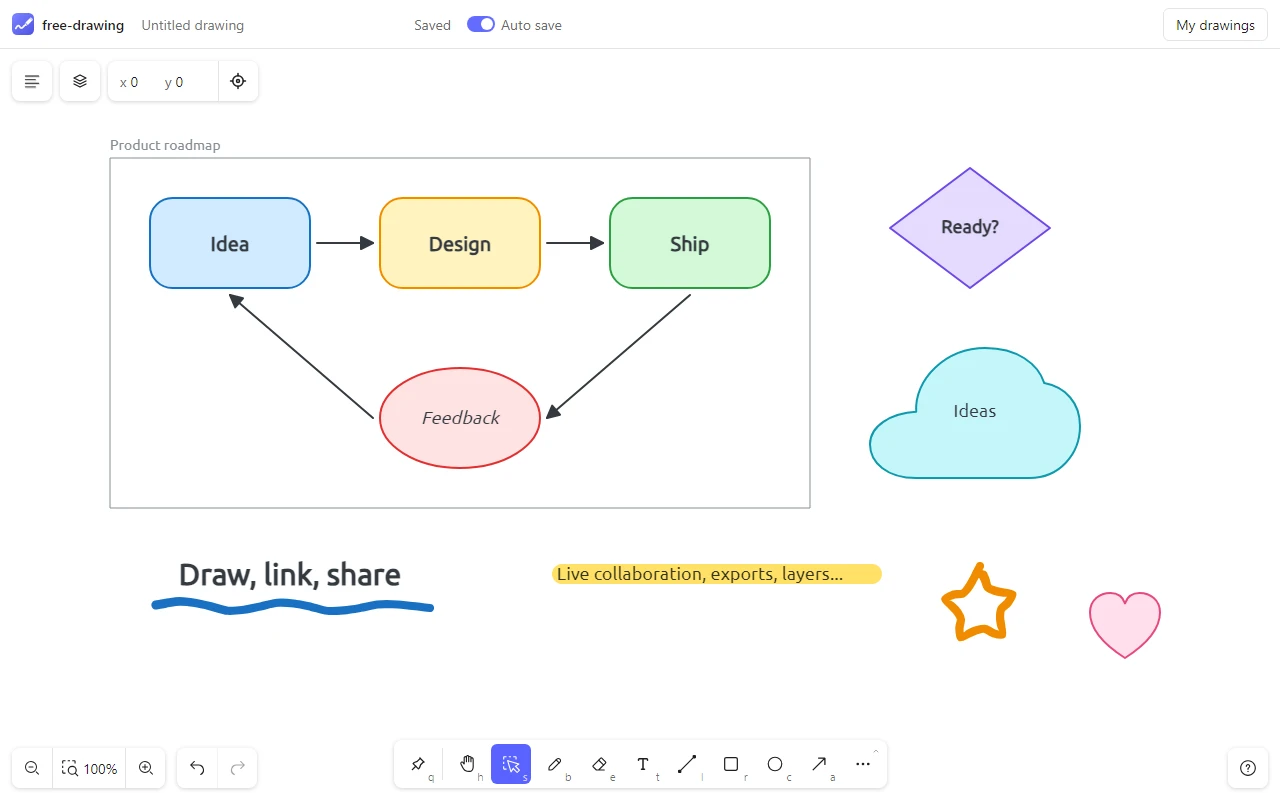
Brush, rectangles, ellipses, lines, arrows, triangles, diamonds, texts, notes, images, laser pointer and eraser; hearts, clouds, stars and a highlighter as extra tools.
See the tools
A whiteboard in one element or one component. Draw, organize and share ideas with tools, layers, frames, live collaboration and exports.

<free-drawing> element for Angular, Svelte or plain HTML, with the same options and API.npm create @fabwcie/free-drawing-plugin.The library works in any page, without framework. React and Vue apps can use its component, other apps (Angular, Svelte, plain HTML...) its <free-drawing> element: they create the drawer when they are mounted and destroy it when they are unmounted. Install it with Konva, its only peer dependency (also with yarn or pnpm):
npm install @fabwcie/free-drawing konvanpm install @fabwcie/free-drawing-react @fabwcie/free-drawing konvanpm install @fabwcie/free-drawing-vue @fabwcie/free-drawing konvanpm install @fabwcie/free-drawing-element @fabwcie/free-drawing konvaThen give it an element of your page, render its component, or add its element:
import { Drawer } from '@fabwcie/free-drawing';
import '@fabwcie/free-drawing/style.css';

const drawer = new Drawer(document.getElementById('drawer'), {
  // light, dark or the one of the device, language of the browser: the ones chosen by the user in its menu kept
  theme: 'system',
  language: 'auto',
});

// drawing changed: keep it anywhere as JSON
drawer.on('change', () => console.log(drawer.getDrawingFile()));import { FreeDrawing } from '@fabwcie/free-drawing-react';
import '@fabwcie/free-drawing/style.css';
export function Board() {
return (
<FreeDrawing
style={{ height: 600 }}
// light, dark or the one of the device, language of the browser: the ones chosen by the user in its menu kept
options={{ theme: 'system', language: 'auto' }}
// drawing changed: keep it anywhere as JSON
onChange={(drawer) => console.log(drawer.getDrawingFile())}
/>
);
}<script setup lang="ts">
import { FreeDrawing } from '@fabwcie/free-drawing-vue';
import type { Drawer } from '@fabwcie/free-drawing';
import '@fabwcie/free-drawing/style.css';
// drawing changed: keep it anywhere as JSON
const onChange = (drawer: Drawer) => console.log(drawer.getDrawingFile());
</script>
<template>
<!-- the theme and language chosen by the user in its menu kept -->
<FreeDrawing style="height: 600px" :options="{ theme: 'system', language: 'auto' }" @change="onChange" />
</template><script type="module">
import '@fabwcie/free-drawing-element';
import '@fabwcie/free-drawing/style.css';
const board = document.querySelector('free-drawing');
// drawing changed: keep it anywhere as JSON
board.addEventListener('drawerchange', (event) => console.log(event.detail.getDrawingFile()));
</script>
<!-- the theme and language chosen by the user in its menu kept -->
<free-drawing options='{ "theme": "system", "language": "auto" }' style="height: 600px"></free-drawing>The guide describes every option, the React, Vue and Web Component pages the props of the components and the attributes of the element, the features page shows what the drawer can do, the plugins guide shows how to add your own features and the API documents each class and method.
free-drawing is released under the MIT License. Issues and contributions are welcome on GitHub, see how to contribute.